Delete Your Account and Personal Data
Last Updated: October 7, 2026This page explains how to ask OpenClassActions.com ("OCA") to delete your account and the personal information we hold about you. It covers the OpenClassActions mobile app, the website, our newsletter, and any form you have submitted to us. There are two ways to do it:
• In the app — the fastest route. Your account is deleted immediately.
• By email — for anyone without the app, or to delete newsletter and form data. You do not need to install or open the app, and you do not need to be signed in.
Fastest: Delete Your Account in the App
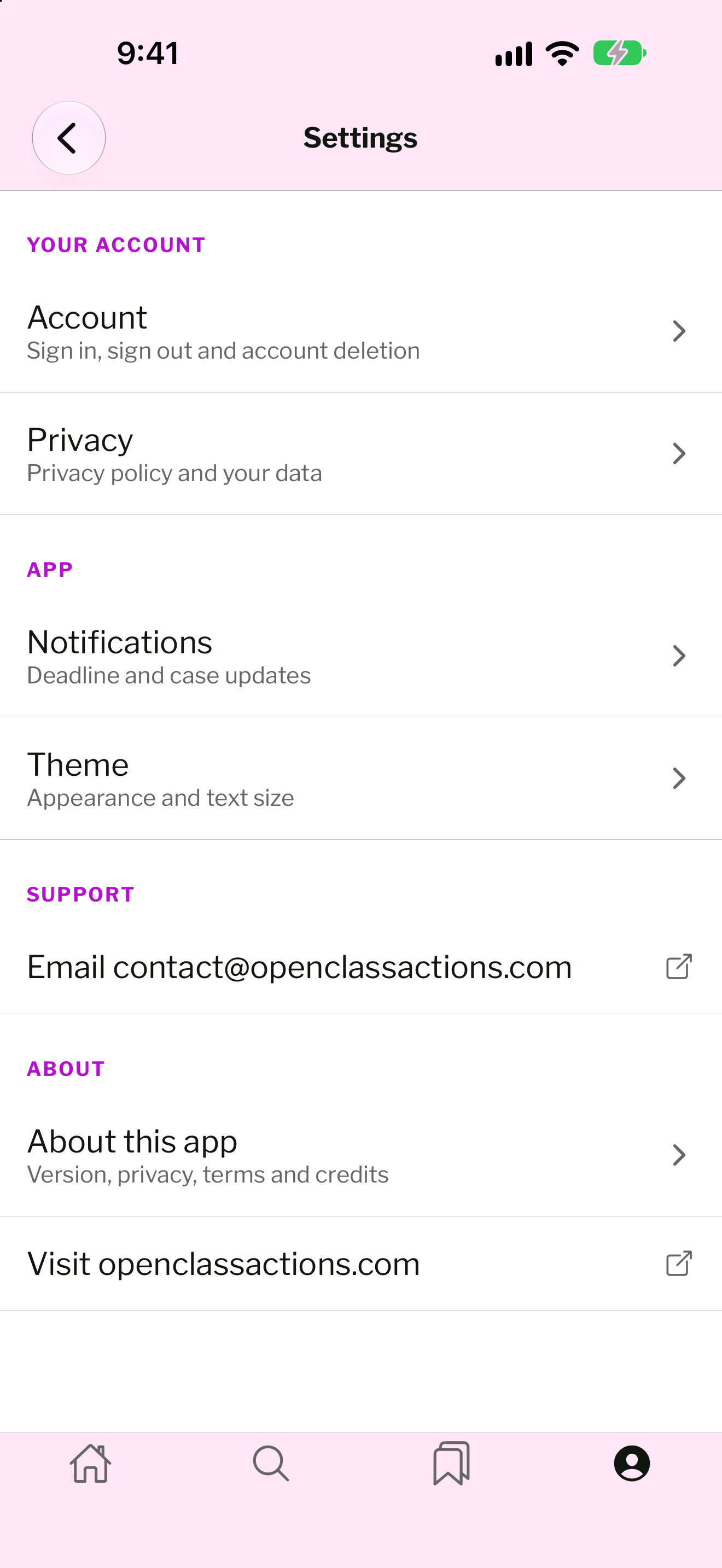
Open the app, tap the You tab (the profile icon at the bottom right), then tap the gear icon to open Settings. Your account, saved list, alerts and email subscription are removed from our systems immediately.-
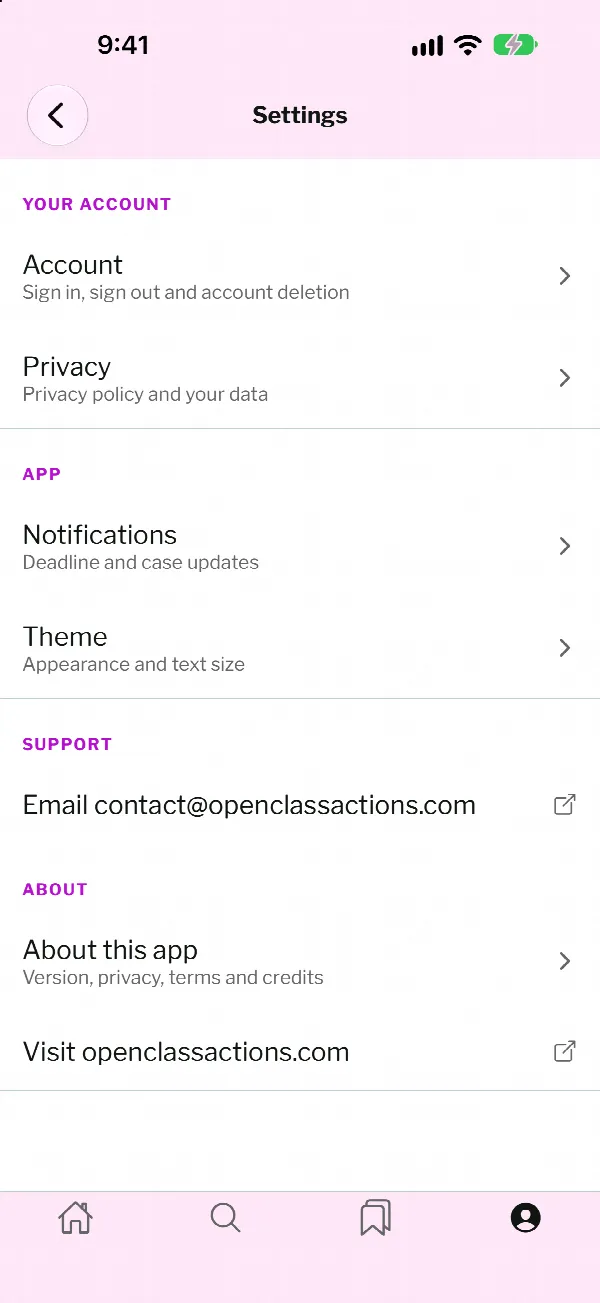
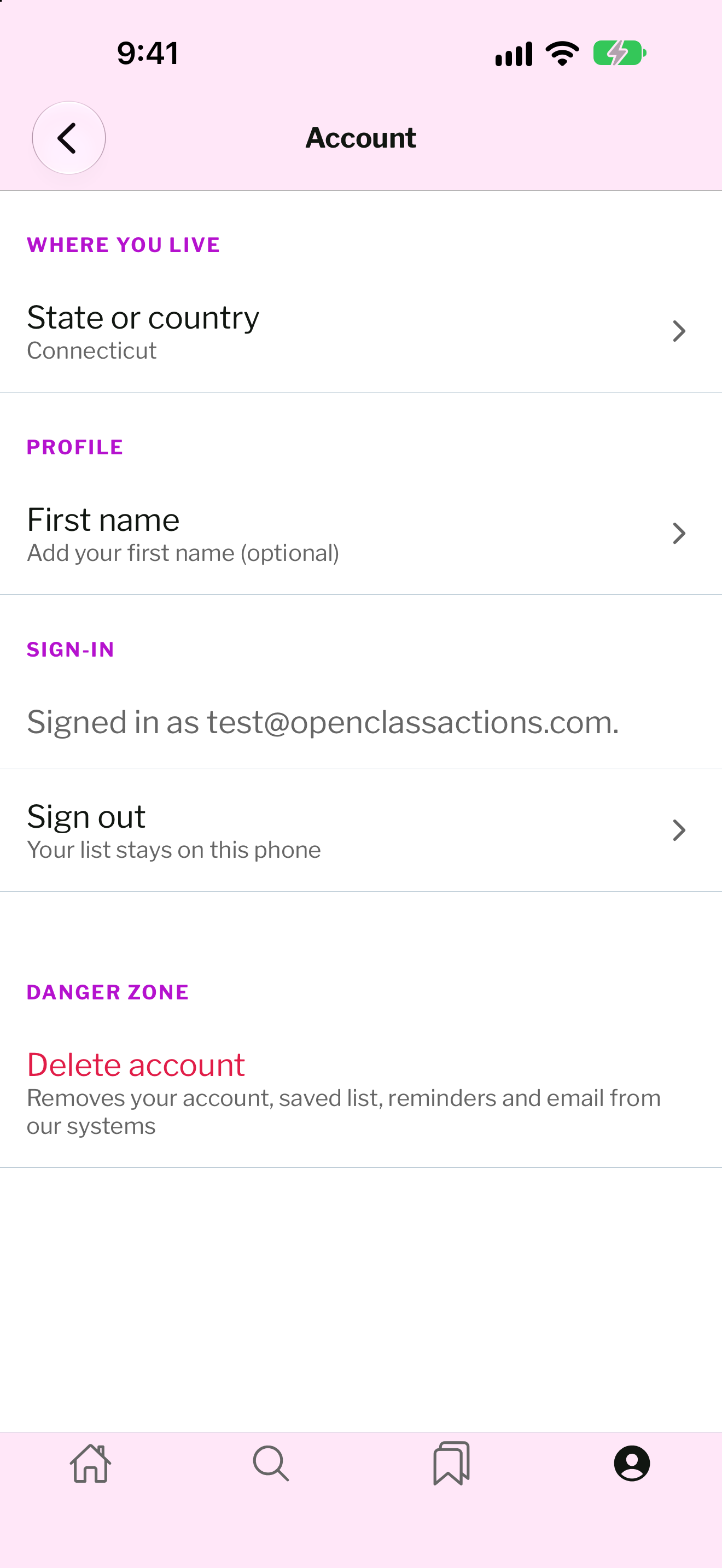
Step 1. In Settings, under Your Account, tap Account.
-
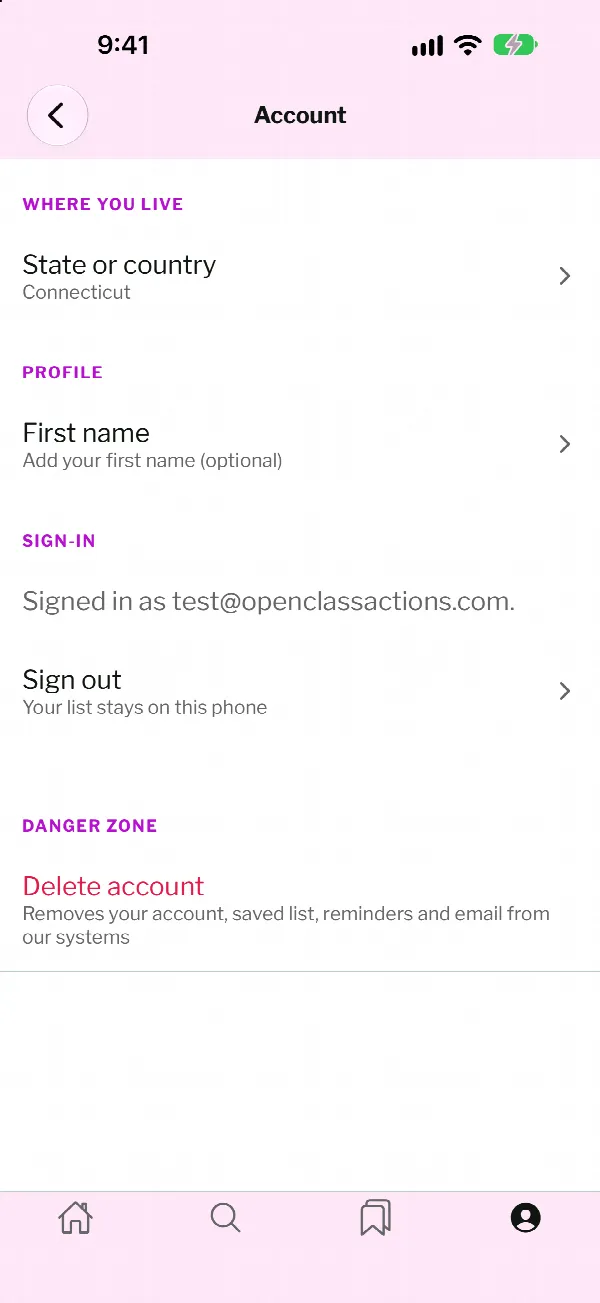
Step 2. Under Danger Zone, tap Delete account.
-
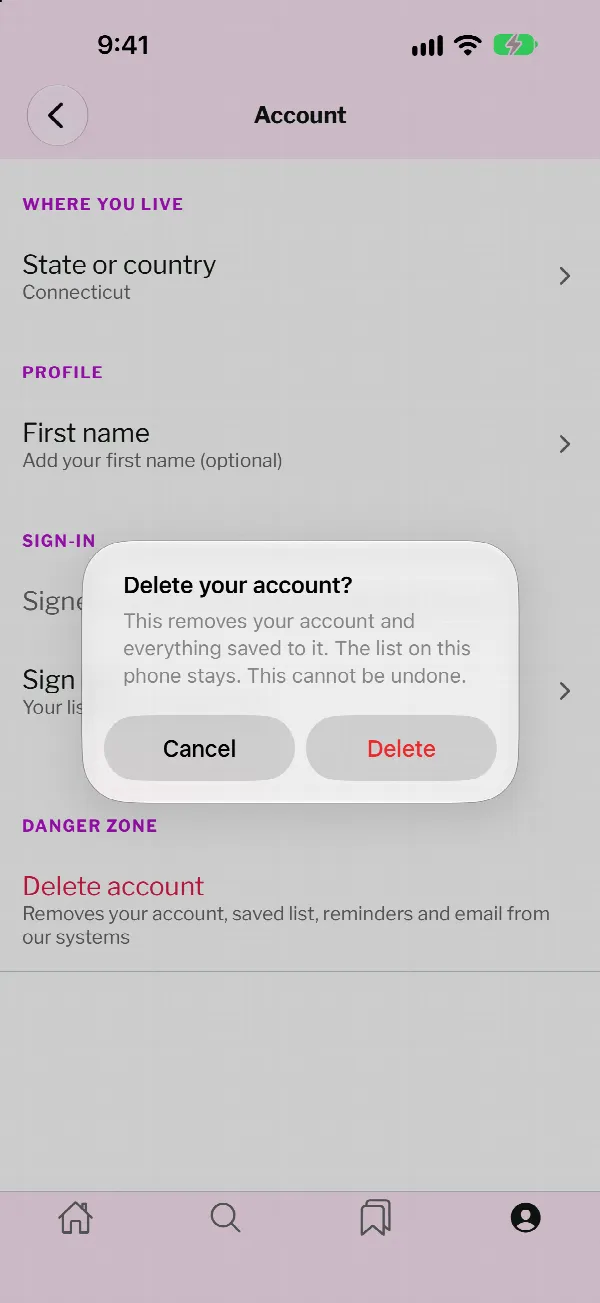
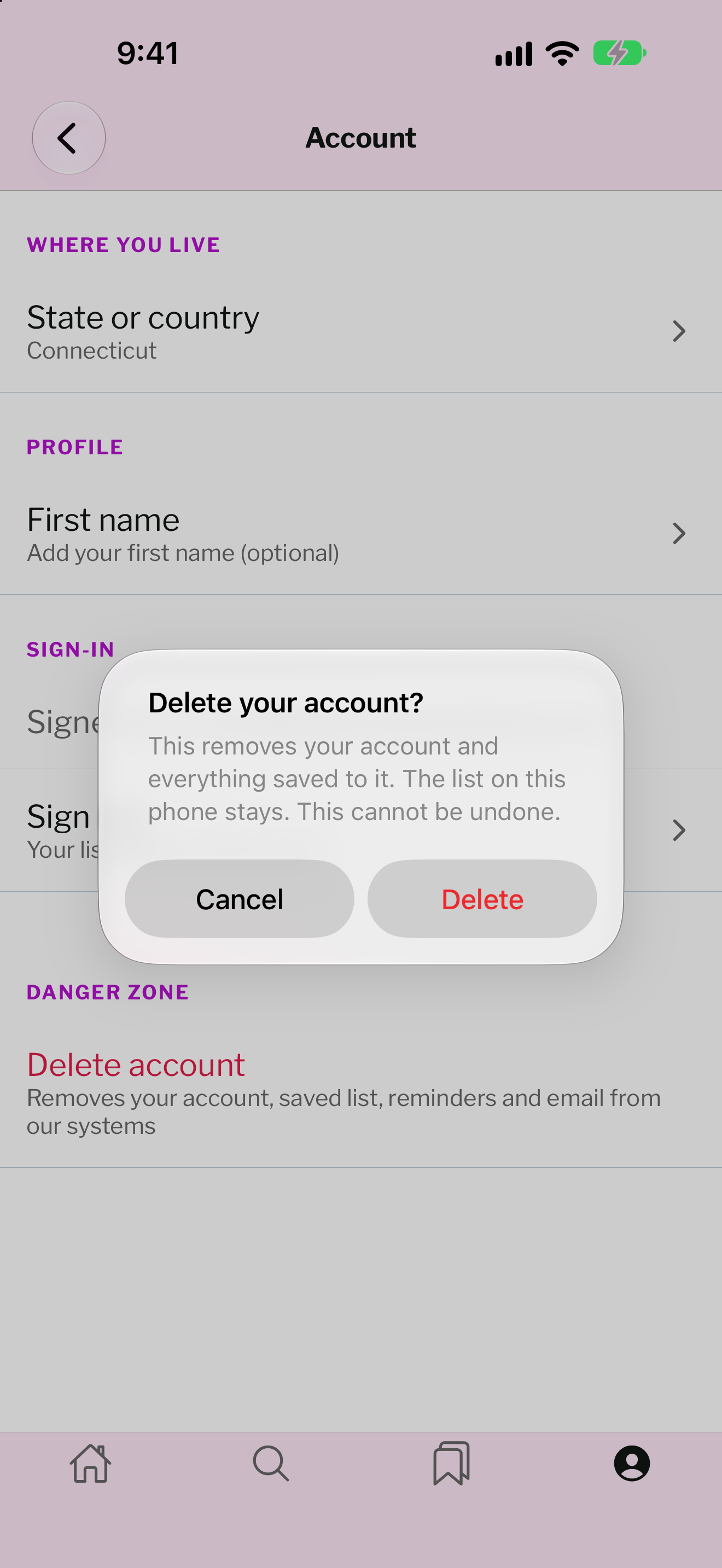
Step 3. Tap Delete to confirm. This cannot be undone.
Or Request Deletion by Email
Use email if you do not have the app, cannot sign in, or want to delete newsletter, contact-form or case-evaluation data. Send an email to the address below from the email address connected to your account or subscription. This is the same inbox that handles every privacy request under our CCPA / CPRA Notice.
Email:
privacy@openclassactions.com
Subject line: Account and data deletion request
Email Your Deletion Request
The button opens a pre-addressed email in your mail app. If it does not open, copy the address above into a new message.
Subject line: Account and data deletion request
Email Your Deletion Request
The button opens a pre-addressed email in your mail app. If it does not open, copy the address above into a new message.
In your email, please include:
• The email address you used with OCA (send the request from that address if you can);
• Your app username or sign-in method (Google, Apple, email) if your app account uses a different address;
• What you want deleted — your app account, your newsletter subscription, forms you submitted, or everything we hold about you.
What happens next. We reply to the email address on file to confirm the request came from you. Once it is confirmed, we delete your data and email you when deletion is complete. We respond to every verifiable request within 45 days of receiving it. If we need more time, up to 90 days in total, we will tell you in writing why and when to expect completion, as set out in the Response Timing section of our CCPA / CPRA Notice.
What Is Deleted
Once we confirm the request, we delete, or direct our service providers to delete, the personal information we have collected from you, as described in the Right to Delete section of our CCPA / CPRA Notice. Depending on what you ask for, that includes:• Your OpenClassActions app account and the information associated with it: the email address you sign in with (or the link to the Google or Apple account you use to sign in), your first name if you chose to give it, and the country and state or province you selected for regional class action tracking;
• Your newsletter subscriber name and email address;
• Contact-form and inquiry submissions;
• Legal case evaluation and intake form submissions.
What May Be Kept, and for How Long
We may deny part of a deletion request where retaining the information is necessary to complete a transaction you requested, detect security incidents, debug errors, comply with a legal obligation, or for the other reasons listed in the Right to Delete section. Where information is retained, the periods in the Retention table of our CCPA / CPRA Notice apply. In summary:• Newsletter name and email: up to 30 days after unsubscribe for processing and suppression-list management;
• Server logs (IP address, user agent, timestamps): up to 90 days, then deleted or aggregated;
• Analytics data (pseudonymous identifiers): up to 14 months in Google Analytics, then expired;
• A record of your deletion request itself: 24 months after it is closed, as required to demonstrate compliance.
Authorized Agents
An authorized agent may submit a request for you by emailing the same address. We may ask for written proof of that authorization before acting on it. Full details are in the How to Submit a CCPA Request section of our CCPA / CPRA Notice.Related Documents
• Privacy Policy• CCPA / CPRA Notice & Privacy Choices
• California Privacy Policy
• Terms of Service